 The Average Learner
Using three-finger dragging on the trackpad changed my life.
Here’s How To Enable This In MacOS
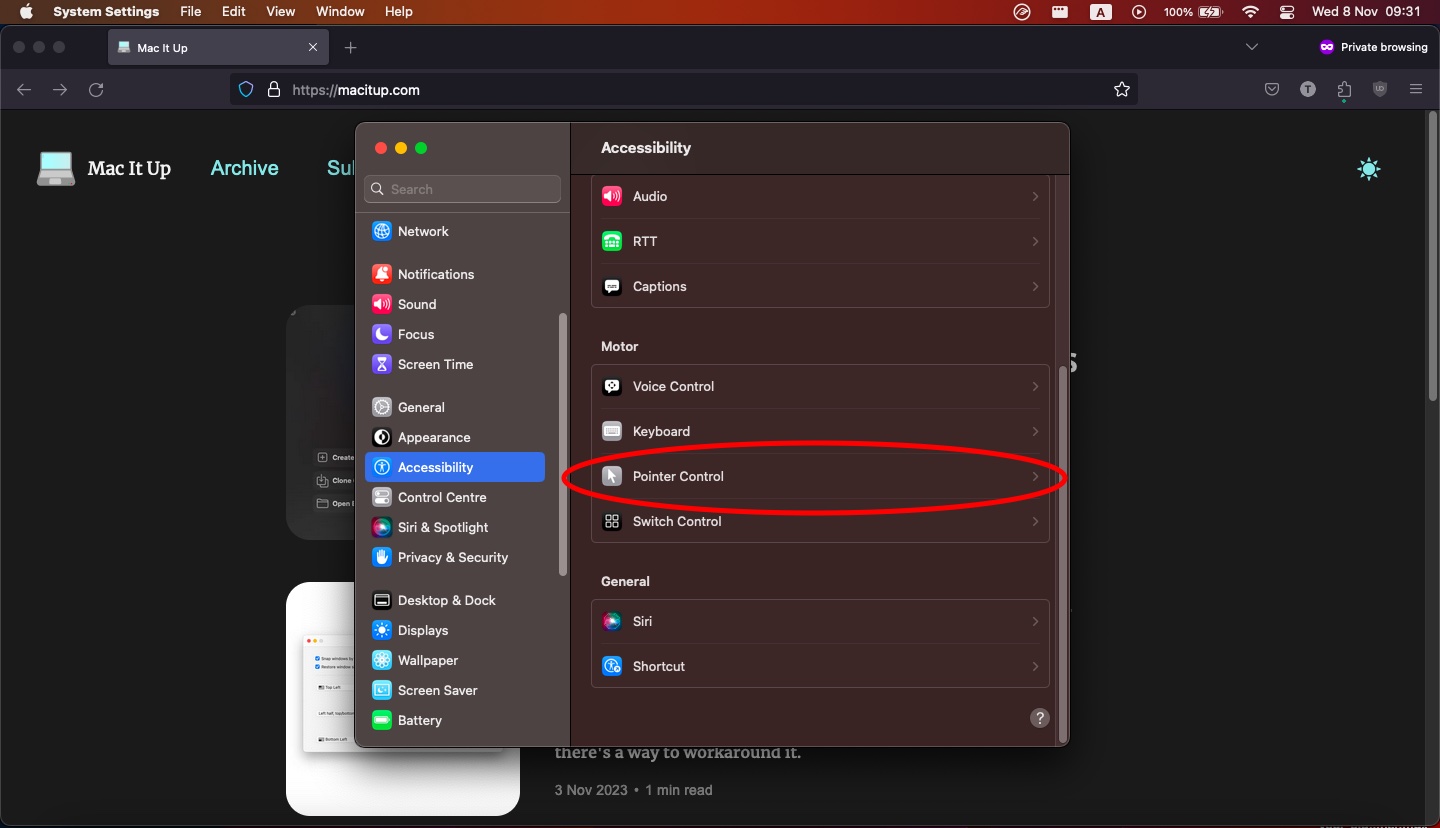
- Go To System Settings.
- Find Accessibility on the left bar.
- Select Pointer Control on the right.
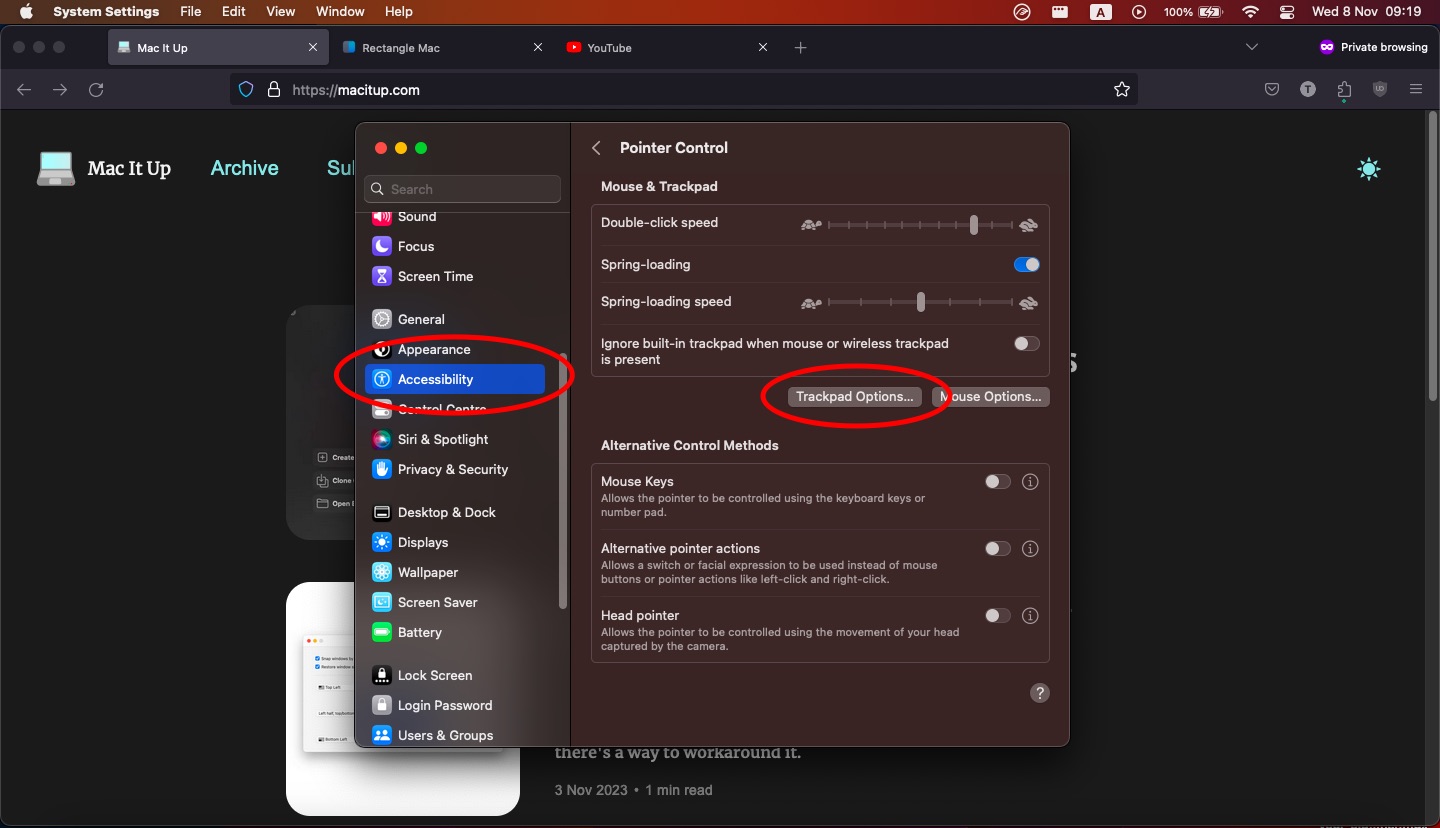
- Select Trackpad Options.
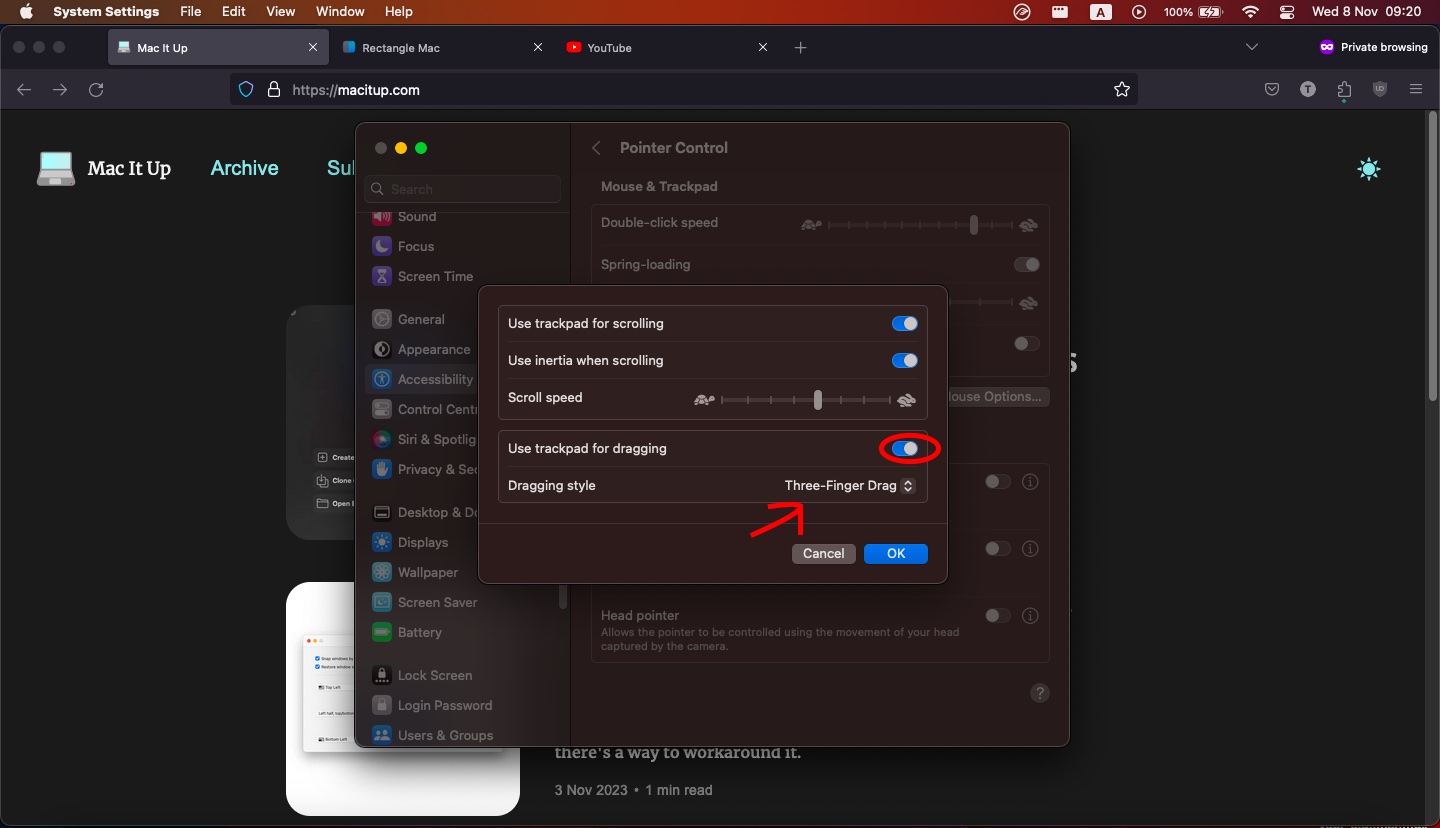
- Enable “Use trackpad for dragging”.
- Dragging Style -> Select “Three-Finger Drag”.
That’s it!
Happy dragging.
Cheers