 The Average Learner
Why?
We are now required to add a GDPR consent message to our apps after 16 Jan 2024 because of EEA requirements to show ads to users in Europe.
If we don’t do so, the revenue from the ads will be largely impacted.
How?
You can watch this official video from Google AdMob to learn how to implement this.
However, like always, Google documentation just shows you the UIKit way to add it, not SwiftUI.
SwiftUI Example
After a day of exploring, I finally got it to work using pure SwiftUI.
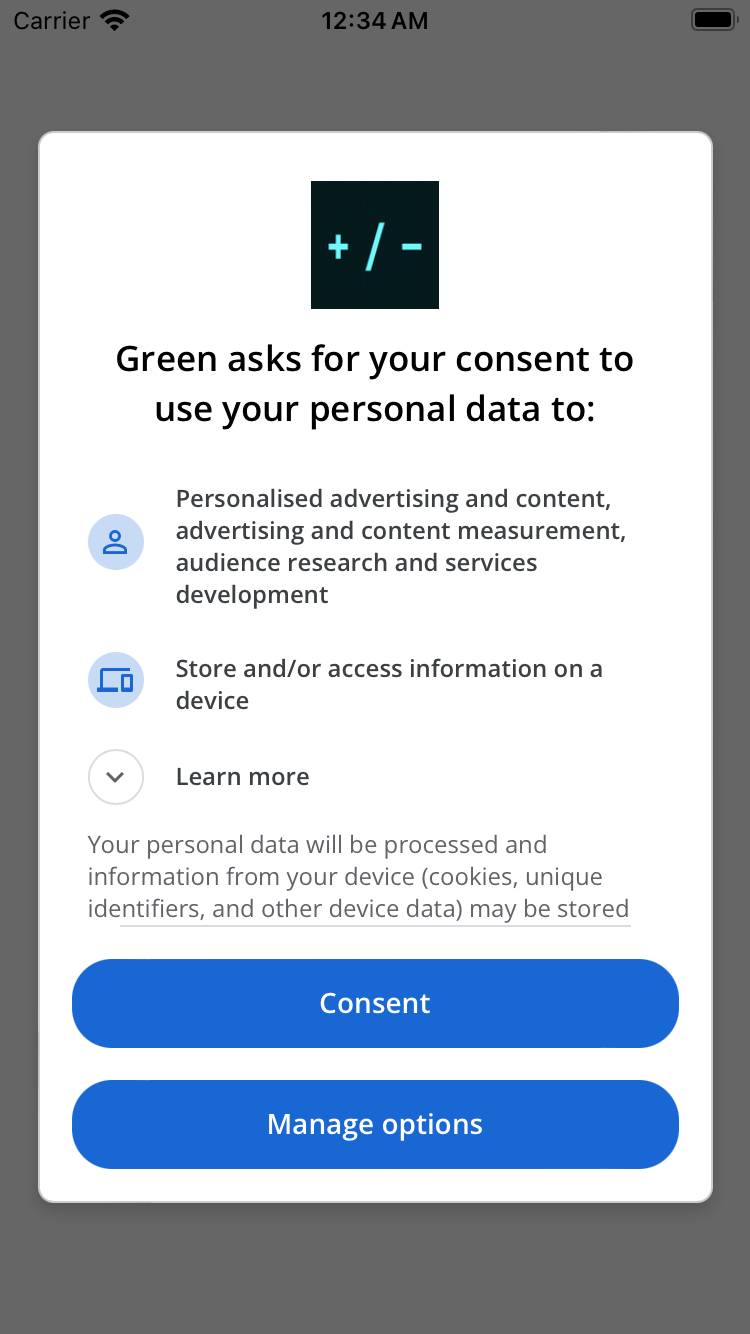
It is actually pretty simple:
1import SwiftUI2import UserMessagingPlatform3
4struct ContentView: View {5 @AppStorage("gdprConsentShown") var gdprConsentShown = false6
7 var body: some View {8 VStack {9 }10 .onAppear {11 gdprConsentCheck()12 }13 }14
15 func gdprConsentCheck() {55 collapsed lines
16 guard !gdprConsentShown else { return }17
18 // Create a UMPRequestParameters object.19 let parameters = UMPRequestParameters()20 let debugSettings = UMPDebugSettings ()21 // - This is for mimicking EEA users when you're outside the EU.22 // - Use a simulator so you can read the consent form.23 debugSettings.geography = .EEA24 parameters.debugSettings = debugSettings25
26 // Set tag for under age of consent. false means users are not under the age of consent. If you turn this on, no consent form is presented.27 parameters.tagForUnderAgeOfConsent = false28
29 // Request an update for the consent information.30 UMPConsentInformation.sharedInstance.requestConsentInfoUpdate(with: parameters) { (requestConsentError) in31 if let consentError = requestConsentError {32 // Consent gathering failed.33 return print("Error: \(consentError.localizedDescription)")34 }35 // Load and present the consent form.36 loadAndPresentConsentForm()37 }38 }39
40 func loadAndPresentConsentForm() {41 UMPConsentForm.load { (form, loadError) in42 if let error = loadError {43 // Consent form could not be loaded.44 return print("Error: \(error.localizedDescription)")45 }46
47 if let form = form {48 if let windowScene = UIApplication.shared.connectedScenes.first as? UIWindowScene {49 if let window = windowScene.windows.first {50 if let rootViewController = window.rootViewController {51 form.present(from: rootViewController) { (dismissError) in52 if let error = dismissError {53 // Consent form could not be dismissed.54 print("Error: \(error.localizedDescription)")55 gdprConsentShown = false56 } else {57 // Consent form was dismissed.58 // Check the consent status.59 let status = UMPConsentInformation.sharedInstance.consentStatus60 print("Consent status: \(status)")61 gdprConsentShown = true62 }63 }64 }65 }66 }67 }68 }69 }70}Yes, the if let looks ugly, because it’s half ChatGPTed, but you get the idea. I modified it and put everything in another view.
So for every app I’m making, I just copy and paste that view. Here’s how I would use it in my main view:
1 //for ads and consent form2 @State var readyToShow = false3 @State private var bannerView: BannerView? = nil4 /////5 context6 .onAppear() {7 // create the banner onAppear, readyToShow is false by default8 bannerView = BannerView(readyToShow: $readyToShow, adUnitID: "ca-app-pub-yourKeyHere")9 // This performs the consent form logic inside the bannerView, if everything goes well, toggle readyToShow to true.10 bannerView?.gdprConsentCheck()11 }12 .toolbar {13 ToolbarItem(placement: .bottomBar) {14 // So only users who passed the consent form will see this banner ad.15 if !adRemoved && readyToShow{6 collapsed lines
16 bannerView17 .frame(width: GADAdSizeBanner.size.width, height: GADAdSizeBanner.size.height)18 }19
20 }21 }Personalised Ads
To control whether to show personalized ads, we used to set the ads request option to something like this:
1import GoogleMobileAds2
3let request = GADRequest()4let extras = GADExtras()5extras.additionalParameters = ["npa": "1"] // This means no personalized ads are shown6request.register(extras)
Remember, we need to set up ATT for App Store compliance.
However, it serves no purpose to interact with Google AdMob now. It is because when you use UserMessagingPlatform, Google manages the “personalization” on their platform.
“In case this is still helpful for anyone, confirming that using the UMP SDK for Android you do not need to set npa=1. The UMP SDK writes the TCF string to shared preferences (related info at https://support.google.com/admob/answer/9760862), and the Google Mobile Ads SDK reads the TCF string on ad requests.” - Eric, Mobile Ads SDK Team - Read more
That’s what I read on Google AdMob forum.
Although they said It’s for Android, I’d assume it works the same way on iOS.
But still, we need to implement the ATT for Apple anyway, so I’m keeping it for now.
Hope this guide simplifies things a bit and helps you.